

Ten Tips To Successful Event Audio Visual Production
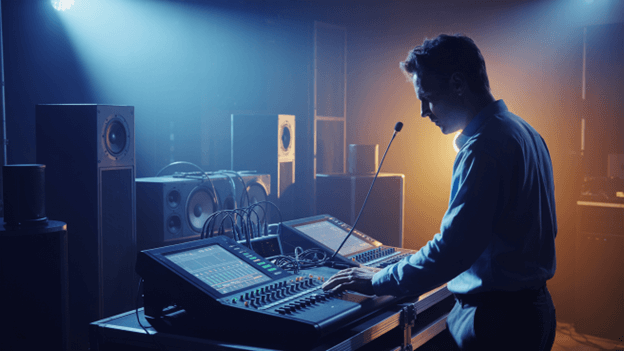
Your event’s technical execution determines whether audiences remember your content or your failures. After producing AV systems for over 800 conferences, product launches, and corporate gatherings through our company, we’ve witnessed brilliant speakers undermined by poor audio and compelling presentations destroyed by display malfunctions.
The difference between amateur and professional event production lies in understanding that AV isn’t just support, it’s the foundation that enables everything else to succeed. These ten strategies ensure your technical systems enhance rather than hinder your event objectives.
1. Establish Clear AV Objectives Before Venue Selection
Your event’s purpose drives every technical decision. Educational conferences require different AV infrastructure than product launches or networking events. Define your technical requirements before committing to venues that cannot support your objectives.
Training seminars need interactive display capabilities, wireless microphone systems for audience participation, and recording equipment for post-event content distribution. Corporate presentations demand confidence monitoring, backup projection systems, and seamless laptop connectivity. Awards ceremonies require theatrical lighting control, wireless microphone systems with instant switching, and live streaming capabilities.
Document these requirements as technical specifications rather than vague preferences. Your venue must provide adequate power distribution, internet bandwidth, and structural support for professional AV installations. Beautiful venues become expensive mistakes when they cannot accommodate necessary equipment.
I recommend conducting technical site surveys before finalizing venue contracts. Measure ceiling heights for projection angles, identify power outlet locations, test internet connectivity speeds, and assess ambient noise levels. These factors determine equipment selection and installation complexity.
2. Budget AV as 15-20% of Total Event Investment
Professional audio visual production requires substantial financial commitment that many organizers underestimate. Industry standards allocate 15-20% of total event budgets to AV systems, yet inexperienced planners often budget only 5-8%, creating inevitable quality compromises.
Your AV budget encompasses equipment rental, professional installation, technical staffing, rehearsal time, and contingency reserves. Complex events require additional allocations for custom content creation, live streaming infrastructure, and backup equipment redundancy.
| Event Scale | Typical AV Budget Range | Essential Components |
| 50-100 Attendees | $4,065 – $10,840 | Basic sound, projection, lighting |
| 100-300 Attendees | $10,840 – $33,875 | Multi-screen displays, wireless mics, recording |
| 300-1000 Attendees | $33,875 – $101,625 | Professional lighting, video walls, streaming |
| 1000+ Attendees | $101,625+ | Broadcast-quality systems, redundancy, crew |
Remember that professional AV technicians command premium rates because their expertise prevents costly failures during live events. Technical rehearsals, equipment testing, and crew coordination require dedicated time that must be factored into overall budgets.
3. Plan Your Technical Timeline Backwards From Event Date
Successful AV production requires meticulous scheduling that works backwards from your event date. Professional equipment requires advance booking, custom installations need testing time, and technical rehearsals cannot be rushed without compromising quality.
Begin AV planning six months before major conferences, three months for corporate presentations, and six weeks minimum for smaller gatherings like church events. This timeline accommodates equipment availability, venue coordination, content preparation, and inevitable revisions.
Technical load-in typically requires 8-12 hours for complex installations, depending on venue size and system complexity. Schedule complete technical rehearsals 24-48 hours before your event begins, allowing time to address any discovered issues without compromising your program schedule.
Content preparation deserves particular attention. Presentation slides, video segments, and graphic elements require technical formatting, backup creation, and compatibility testing. Speakers must provide final materials at least 72 hours before events to enable proper technical preparation.
4. Design Redundant Systems for Mission-Critical Elements
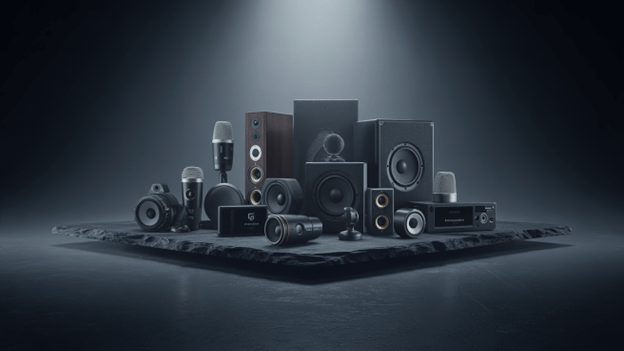
Professional events demand backup systems for every critical component because technical failures destroy credibility and waste audience investment. Your redundancy planning should address equipment failures, connectivity issues, and power disruptions.
Audio systems require backup microphones, spare wireless receivers, and secondary mixing capabilities. Projection systems need duplicate projectors, backup video sources, and alternative display options. Internet connectivity demands multiple ISP connections, cellular backup systems, and offline content alternatives.
Power distribution represents the most overlooked failure point. Professional installations include uninterruptible power supplies for critical equipment, generator backup for extended outages, and isolated power circuits that prevent interference between systems.
I maintain equipment redundancy standards that ensure no single component failure can disrupt event proceedings. This approach requires higher initial investment but eliminates the catastrophic costs of technical failures during live events.
5. Coordinate Lighting Design With AV Requirements
Lighting significantly impacts video projection quality, camera performance, and audience comfort, yet most organizers treat it as an afterthought. Professional lighting design integrates with your AV systems rather than competing against them.
Stage lighting must provide adequate illumination for cameras without washing out projection screens. Audience lighting should enable note-taking while maintaining appropriate contrast ratios for display visibility. Ambient lighting control allows dynamic adjustments throughout your program schedule.
Modern LED lighting systems offer color temperature adjustment, wireless control, and energy efficiency that traditional incandescent systems cannot match. These capabilities enable lighting changes that support different presentation styles, speaker preferences, and content types throughout your event.
Work with lighting designers who understand AV integration requirements. Poor lighting coordination creates video recording problems, projection visibility issues, and audience fatigue that undermines even excellent content.
6. Implement Professional Audio Distribution Strategy
Audio quality determines audience engagement more than any visual element. Poor sound systems cause immediate audience disconnection that even compelling speakers cannot overcome. Professional audio design ensures consistent coverage, intelligible speech, and appropriate volume levels throughout your venue.
Distributed speaker systems provide uniform coverage across irregular venue shapes and varied seating arrangements. Point source systems work effectively in rectangular rooms with predictable audience configurations. Line array systems handle large venues with challenging acoustic environments.
Wireless microphone systems require careful frequency coordination to prevent interference and dropout issues. Professional systems include diversity reception, automatic frequency selection, and battery monitoring that ensures reliable operation throughout extended events.
Consider your venue’s acoustic characteristics during system design. Hard surfaces create echo problems that require acoustic treatment or specialized speaker placement. Outdoor venues need weather-resistant equipment and higher power requirements to overcome ambient noise.
7. Create Comprehensive Content Management Workflows
Technical content preparation determines presentation quality and eliminates last-minute panic. Establish standardized procedures for collecting, formatting, and testing all presentation materials well before your event begins.
Speakers should submit materials in multiple formats with embedded fonts, optimized images, and tested video codecs. Create presentation templates that ensure consistent branding while accommodating different speaker styles and content types.
Video content requires particular attention to file formats, resolution standards, and compression settings. Test all video clips on your actual playback systems to verify compatibility and quality. Backup copies should exist on multiple storage devices with instant access capabilities.
Interactive content needs advance programming and testing time. Polling systems, Q&A platforms, and audience response technologies require configuration that aligns with your program schedule and presenter requirements.
8. Staff Events With Certified AV Professionals
Technical expertise during live events prevents minor issues from becoming major disasters. Professional AV technicians possess troubleshooting skills, equipment knowledge, and experience that volunteer staff cannot replicate.
Your technical crew should include dedicated positions for audio management, video control, lighting operation, and general troubleshooting. Large events, such as hotel audio visual events require additional specialists for live streaming, recording operations, and equipment maintenance.
Certified technicians from organizations like AVIXA demonstrate professional competency in system design, installation practices, and operational procedures. These credentials indicate expertise that justifies premium rates through reliable performance.
Plan technical staffing ratios based on event complexity and duration. Simple presentations might require one technician per 100 attendees, while complex productions need multiple specialists regardless of audience size.
9. Test Every System Component Before Guests Arrive
Comprehensive system testing eliminates surprises during live events when problems cannot be easily resolved. Your testing protocol should verify every connection, setting, and operational procedure before audiences arrive.
Audio testing includes microphone checks, speaker coverage verification, and mixer setting confirmation. Video testing covers projection alignment, input source switching, and display brightness optimization. Lighting testing confirms scene programming, control responsiveness, and backup operation procedures.
Interactive systems require the most extensive testing because they involve audience participation variables that cannot be fully predicted. Test registration systems, polling platforms, and networking capabilities under simulated load conditions.
Document all system settings and create quick reference guides for technical operators. This preparation enables rapid problem resolution and consistent operation throughout your event duration.
10. Plan Post-Event Content Distribution Strategy
Your AV investment extends beyond live event delivery through recorded content that provides ongoing value to stakeholders. Plan recording strategies that capture high-quality content suitable for training libraries, marketing materials, and absent participant access.
Multi-camera recording systems enable professional post-production editing that creates polished final products. Single-camera setups work effectively for archive purposes but limit editing options for marketing applications.
Audio recording requires dedicated mixing that balances speaker voices, audience questions, and presentation audio. Poor audio quality ruins otherwise excellent video content and reflects poorly on your organization’s professional standards.
Live streaming capabilities expand your audience reach while creating immediate content distribution options. Professional streaming platforms provide analytics, viewer interaction, and archive capabilities that basic solutions cannot match.
At Alliant Events, we integrate content capture planning into initial AV design processes, ensuring recording quality meets client distribution objectives while maintaining live event production standards. This comprehensive approach maximizes return on AV investment through extended content utilization.

Sanjay Patel
Sanjay Patel has been the Chief Executive Officer of Alliant Events since 1991. Under his leadership, the company has delivered audio-visual services for various events, including special events, trade shows, and live performances.
He holds a Bachelor of Science degree in Electrical Engineering with a focus on Electrical and Electronics Engineering from the University of California, Irvine.